

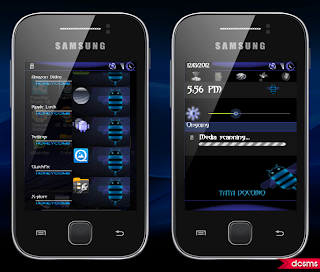


What's New In v4?
- Very Smooth and Lightening fast
- All bugs fixed from Xtreme Fusion v3
- Revamped new Ui
- All new Bootanimation with Awesome Graphics
- DSP Manager
- Added new Extended Power Menu
- Blue Themed Ui
- New Revamped Status bar and Honeycomb Launcher
- Removed all Bloatwares
- SONY CYBERSHOT Camera ENHANCEMENTS- Clearer Pictures like never Before
- All new Settings
- New USSR V8 Kernel- Fast and Strong
- BRAVIA and TIMESCAPE hack.. [ Link ] - flash via cwm..
- Honeycomb Messages and UI
- Fast Browser Ported from Amazon Silk..
- Honeycomb Music.. Menu Settings...
Warning : This Custom Rom is only meant for Samsung galaxy y model gt-s5360. Use it at your own Risk we will not be held responsible for what ever happens to your device. The information provided here is only for instructional and educational purpose.
Requirements:
- Rom File: Honeycom experience-signed.zip
- CWM: CWM.zip
- Patch Link
Installation Instruction:
- First of all backup your system and charge battery full.
- Root your phone. If already rooted, proceed to the next step.
- Download the Rom file and cwm file and place in the root directory of your phone's sd card and turn your phone off.
- Reboot in Recovery mode by pressing vol up+home+Power button together once you enter recovery mode touch screen become function-less so use volume up and down to move up and down, home button for selection and power as back button.
- Now in recovery mode select "apply update from sdcard" and navigate to the root directory of sd card and select cwm file "cwm-madteam-galaxy.zip" this will take you to clockworkMod Recovery.
- Now select "install zip from sd" and then choose zip from sdcard" From the directory select the Rom file "Honeycom experience-signed.zip" and select yes.
- Let the process to be completed it may take 5 to 10 minutes after competition of flashing reboot your phone.
- First boot may take longer then normal boot so keep passions.
- u are done....

Hiç yorum yok:
Yorum Gönder